
Why your photos never leave your device
How this tool removes a background, swaps a color, or compresses a photo entirely inside your browser — no upload, no account, no server ever sees the image.
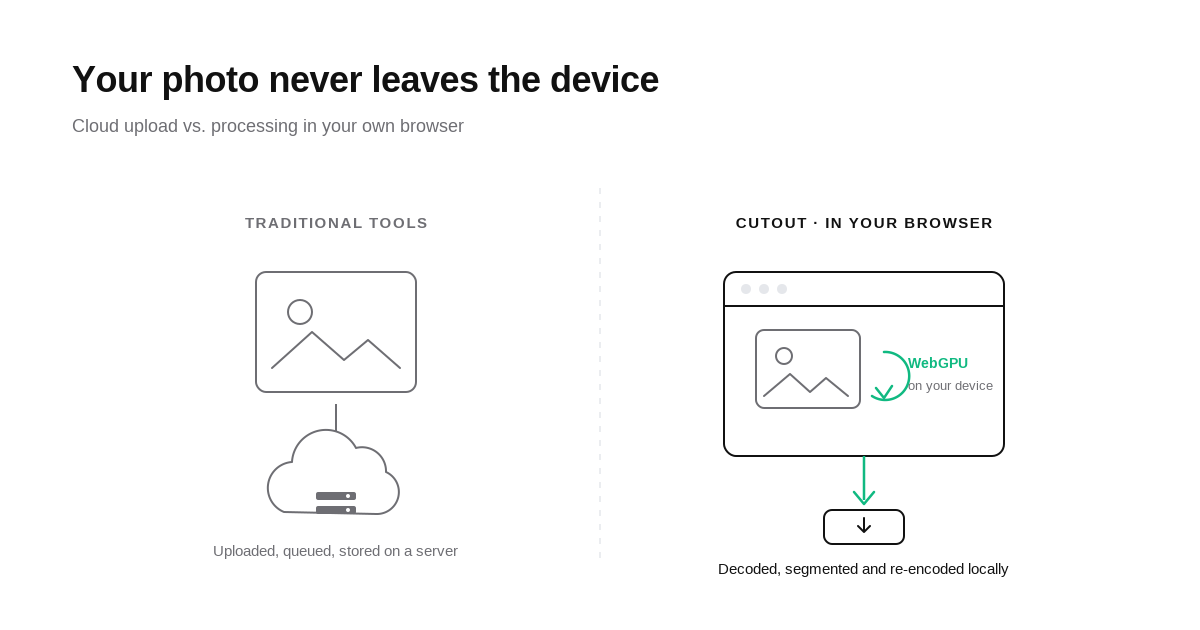
Most “remove background” tools work the same way: you upload a photo to a server, a model on that server processes it, and the result comes back down to you. That round trip is where the risk sits — the photo passes through a network you don’t control, and it usually sits in a server log or a cache somewhere after the request is done, even if only briefly.
This tool skips that step entirely. The photo you drop in is decoded, segmented, recolored, and re-encoded inside your own browser tab. Nothing about that process requires a network request for the image itself.
What actually happens when you drop in a photo
The background-removal model is a set of weights — roughly 94 MB — that your browser downloads once, the same way it would download any other asset on the page. After that first download, your browser caches the weights locally, so the next photo you process doesn’t re-download anything.
From there, the model runs as a computation inside the page: preferably on your graphics card through WebGPU, and on the CPU through WebAssembly when a graphics card isn’t available. Either way, the computation happens on hardware you own, using a browser tab you control. The output — a version of your photo with the background made transparent — never has anywhere else to go, because there is no server endpoint it was ever sent to.
Swapping the background color afterward is even simpler: it’s a compositing step on an HTML canvas, layering a color behind the transparent result. Compressing a photo works the same way — the encoder that turns pixels back into a JPEG, PNG, or WebP file is a capability your browser already ships with, not a service you’re calling out to.
Why this matters beyond the privacy slogan
“Nothing is uploaded” is easy to write on a landing page. What makes it true here is that it’s also the only way the product could work at all: there’s no server-side inference budget behind this tool, no account system, and no usage limit — because there’s no per-photo cost to anyone but your own device. The privacy property and the free, unlimited part are the same design decision, not two separate promises stacked on top of each other.
It also means you can watch it happen. Open your browser’s network panel while you use the tool: after that first one-time model download, you’ll see no further requests carrying image data anywhere. Close the tab, and whatever was in memory for that photo is gone with it.
The trade-off worth knowing about
None of this is free of trade-offs. Running a model in a browser tab is slower than a well-provisioned server with a dedicated GPU, and it depends on your device having enough memory and, ideally, a graphics card the browser can use. On an older machine without WebGPU support, the CPU fallback still works, just more slowly. That’s the honest cost of keeping every photo local: it asks a little more of your hardware in exchange for asking nothing of your trust.
- Your photo is decoded, segmented, and re-encoded inside your own browser tab — the image itself never makes a network request.
- The roughly 94 MB model downloads once and is cached by your browser; only the model travels the network, never your photo.
- Background swaps and compression run as canvas and encoder operations on your device, not as remote services.
- Keeping every photo local is also what makes the tool free and unlimited — the privacy property and the pricing are the same design decision.
See it in action — drop a photo and watch your browser’s network tab stay quiet.Try ShedBG →